 One Dialer
Calls, in
glass.
A fast, private phone app for Android. Smart T9, call blocking and dual SIM, on true black.
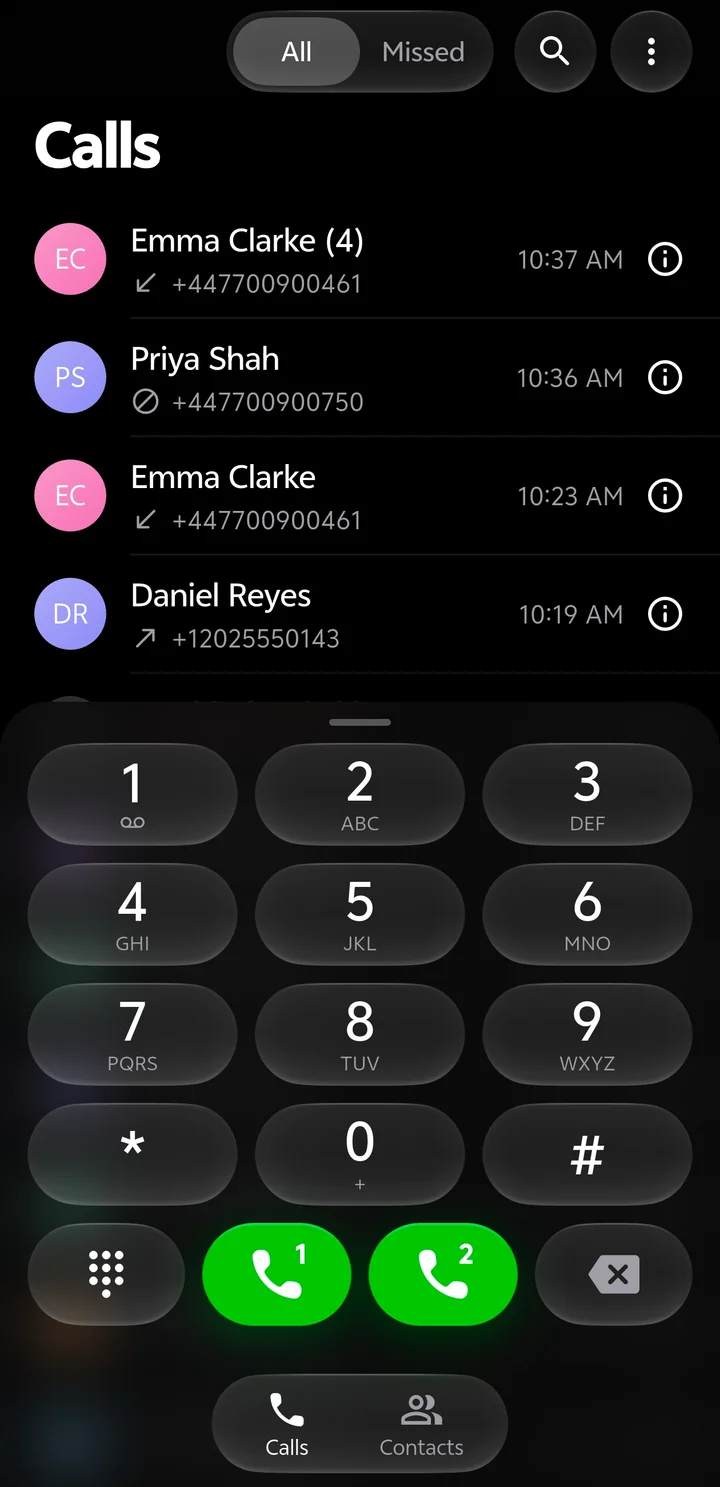
Keypad
Frosted keys over your calls, with a Call key for each SIM.
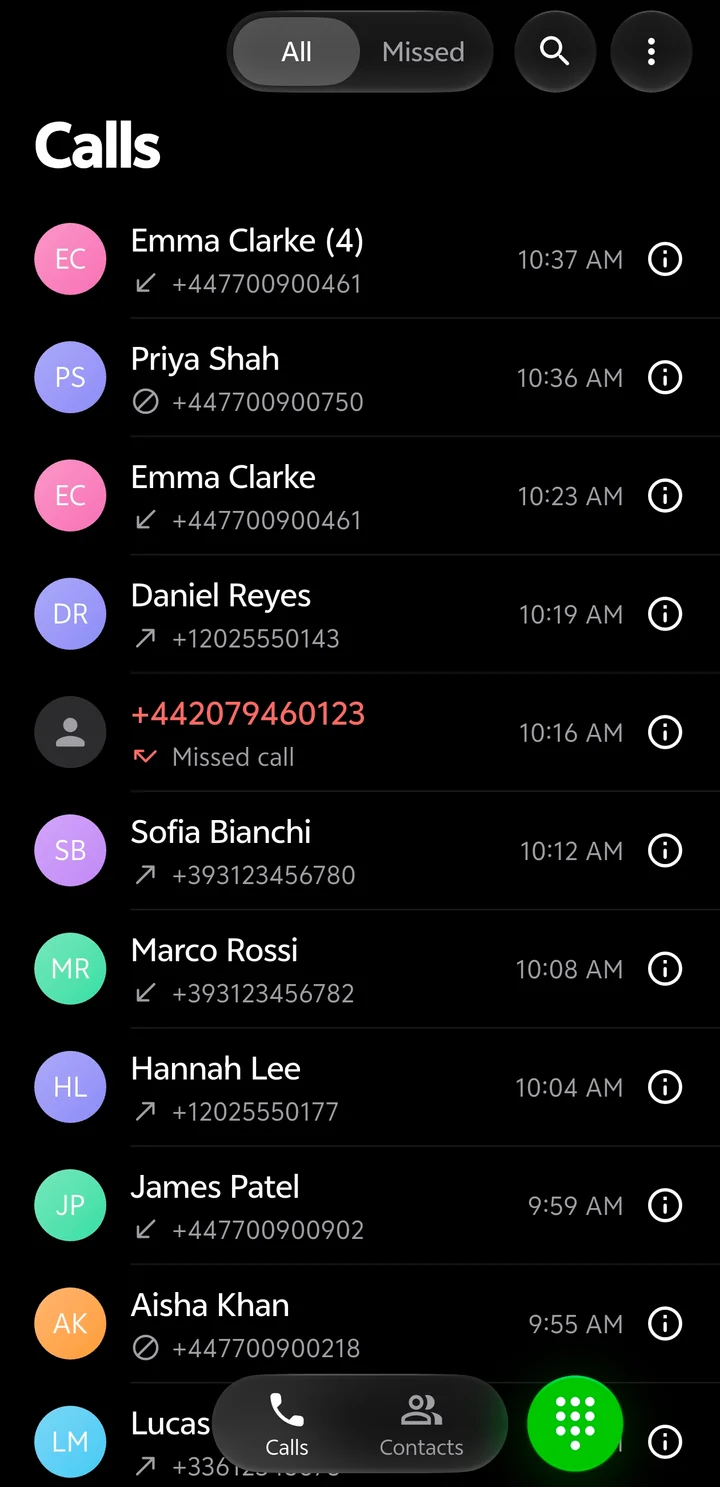
Calls
Missed calls in red, repeat calls grouped, blocked ones marked. The keypad is one tap away.
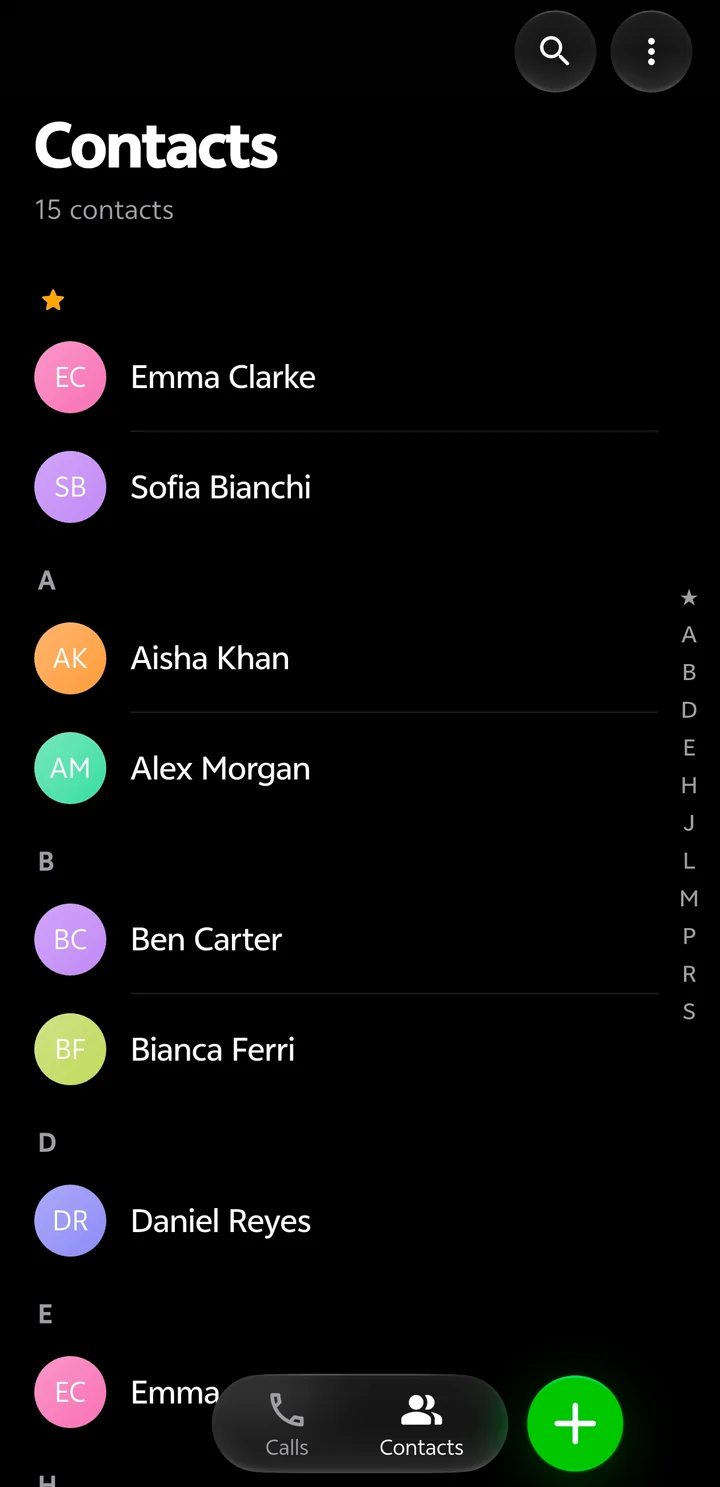
Contacts
Favourites first, then an A–Z index under your thumb.
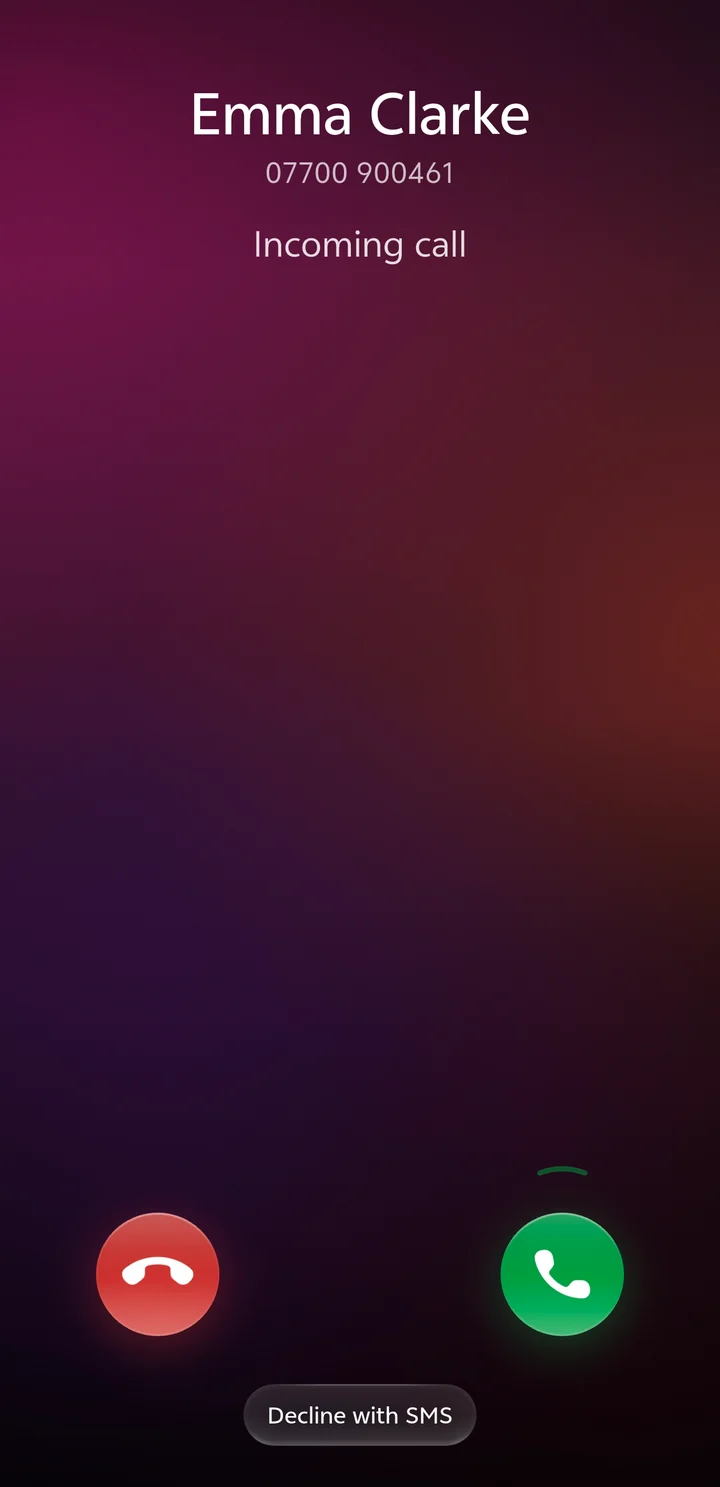
Incoming
Full screen, tinted by the caller, right on the lock screen.
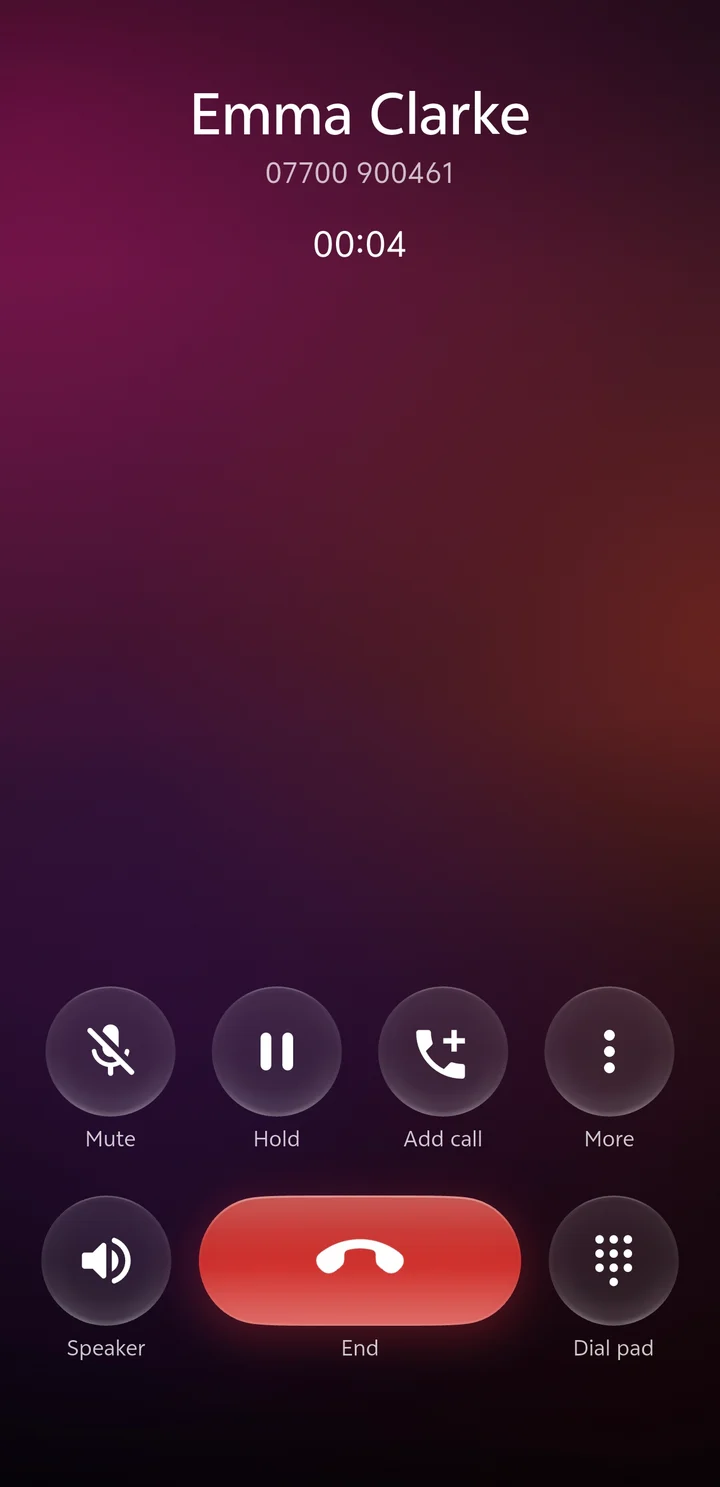
In call
Big glass controls for mute, hold, speaker and the dial pad.
Free · No ads · Android 10 and newer
What it does.
And what it doesn't.
Blocks before it rings
Private numbers, unknown callers, or anyone not in your contacts. Plus your phone's own block list.
Dual SIM, done right
A SIM for every contact, a default SIM, or ask every time. The call key shows which SIM you're on.
A real phone app
Every call goes through Android's own Telecom framework, so calls behave exactly like the system dialer's.
Stays on your phone
No account, no ads. Your calls and contacts never leave the device.
Open source
GPL-3.0. Read the code, report a bug or add your language. One Dialer on GitHub
Smooth on
every phone.
On first launch One Dialer reads your phone's chip and picks a level of visual effects, and you can change it in Settings. Try the three levels here: this page's glass follows, the keypad and the slab at the top included.
Frosted call glass with its edge glow. Flagship chips start here.
What's new.
Version 1.0.
Nov 2026
- Call backgrounds in your caller's photo colours, Blur & dim, and Back up & restore with auto backup
- Call screen: caller name and photo look like ColorOS 17, with an option to put the photo above the name
- Speaker button on the ongoing-call notification on ColorOS, turn on Live alerts for One dialer
- Call screen: the keypad opens and closes like ColorOS 17, and the call buttons look raised
- vivo: a minimised incoming call stays on the lock screen
- vivo shows one island for an incoming call, not two
- Saving a new contact to Device works again
Get One Dialer.
Free on Google Play.
Install it like any other app, then set One Dialer as your default phone app when it asks. Android 10 and newer.
Got One Dialer as an APK file? Copies shared as files, or pulled out of a phone by another app, aren't official. They don't get updates and may have been changed. Uninstall it and install it from Google Play instead.
Questions,
answered.
Which phones does it work on?
Android 10 or newer. To make and receive calls, set One Dialer as your default phone app when it asks.
Is it free? Are there ads?
It's free and has no ads.
Do my calls and contacts leave my phone?
No. Your call history and contacts stay on your phone. The privacy policy lists exactly what is sent, such as crash reports.
I got One Dialer as an APK file.
That copy isn't official: it won't get updates and may have been changed. Uninstall it, then install One Dialer from Google Play.